Add rocket launches to Google Calendar, Apple Calendar or Outlook
Subscribe once to https://t-0.space/calendar.ics and every rocket launch appears in your calendar, updating itself as dates change. Free, no account.
One-click subscribe
Open in your calendar app (webcal) · Add to Google Calendar · Download .ics
Calendar address to copy: https://t-0.space/calendar.ics. 15 upcoming launches currently have a date and are in the feed.
Google Calendar
- On a computer, open calendar.google.com (the phone app cannot add URL calendars).
- Next to Other calendars, click + then From URL.
- Paste
https://t-0.space/calendar.icsand click Add calendar. - It shows on your phone after the next sync. Turn it on under Settings if it is hidden.
Apple Calendar (iPhone, iPad, Mac)
- iPhone or iPad: tap this webcal link, or go to Settings > Apps > Calendar > Calendar Accounts > Add Account > Other > Add Subscribed Calendar.
- Enter
https://t-0.space/calendar.ics, tap Next, then Save. - Mac: in Calendar choose File > New Calendar Subscription, paste the address and set Auto-refresh to every hour.
Outlook (web, new Outlook, Windows)
- Open the Calendar and choose Add calendar.
- Pick Subscribe from web and paste
https://t-0.space/calendar.ics. - Name it (for example "Rocket launches"), pick a color and click Import.
- Classic Outlook for Windows: Add Calendar > From Internet.
Per-provider calendars
Only want one company? Subscribe to its feed the same way: Agency for Defense Development, Arianespace, Avio S.p.A, Blue Origin, China Aerospace Science and Technology Corporation, Deep Blue Aerospace, European Space Agency, Firefly Aerospace, Galactic Energy, Indian Space Research Organization, Isar Aerospace, Japan Aerospace Exploration Agency, Mitsubishi Heavy Industries, Orienspace Technology, Relativity Space, Rocket Factory Augsburg, Rocket Lab, Russian Federal Space Agency (ROSCOSMOS), SpaceX, United Launch Alliance, Unknown, i-Space.
Next launches in the feed
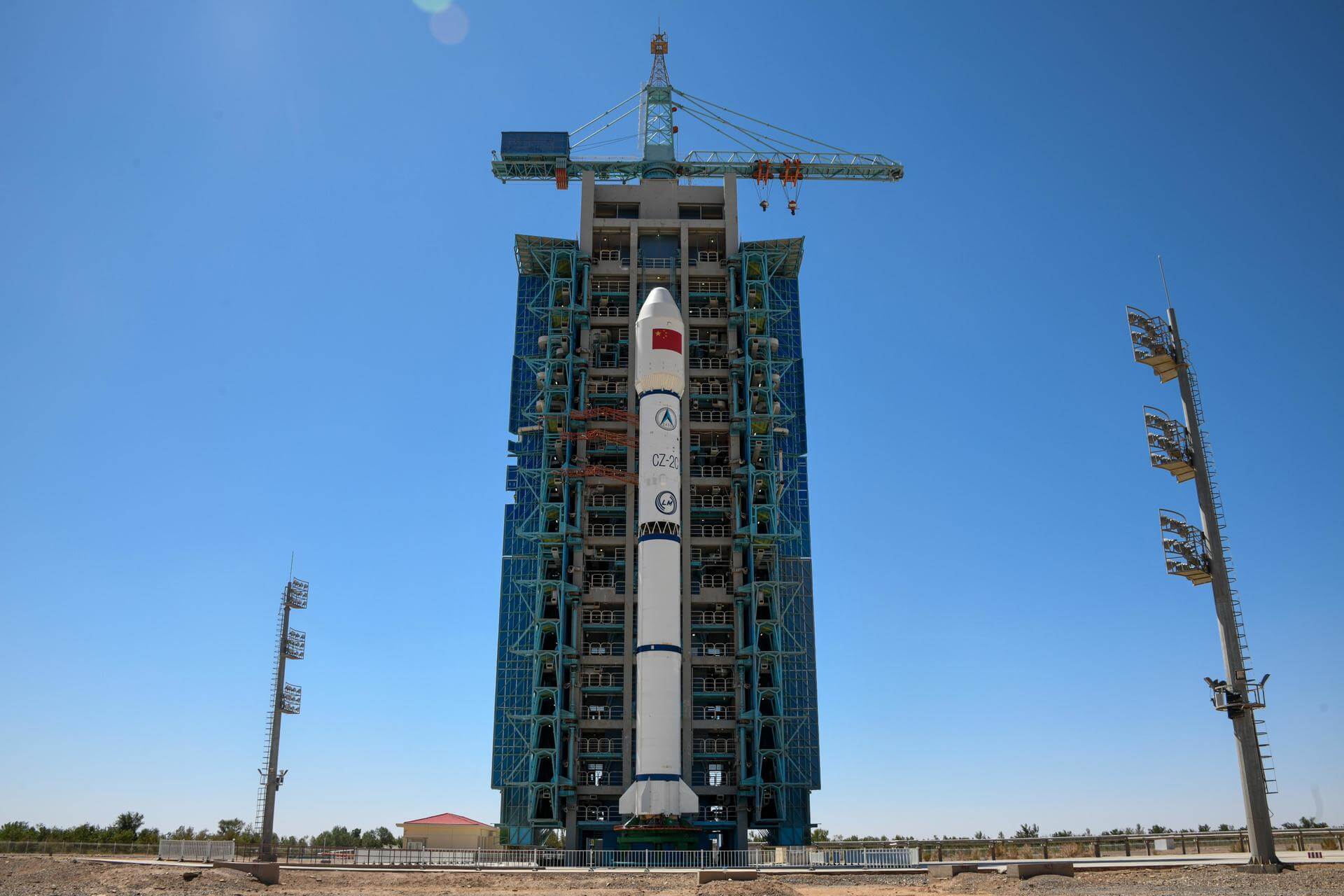
Long March 2C | Unknown Payload
Go T− 1 d 13 h 22 min(Thu, Nov 5, 2026, 16:00 UTC)Long March 2C · China Aerospace Science and Technology Corporation · Launch Complex 3 (LC-3/LA-1), Xichang Satellite Launch Center, People's Republic of China · Where to watch from Xichang, SichuanWebcast: launch page lists the official stream when announced.
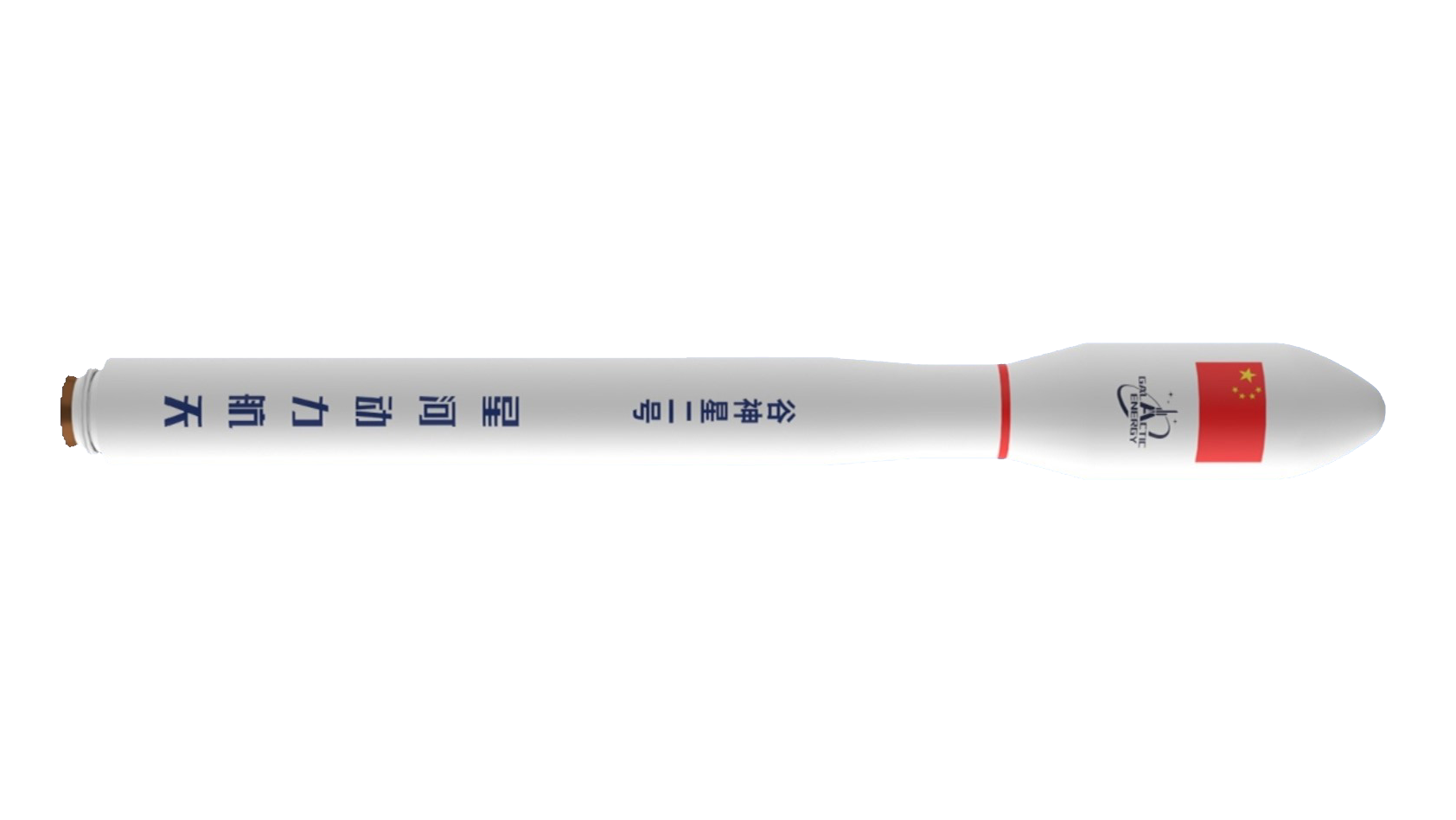
Ceres-2 | Unknown Payload
Go T− 2 d 20 h 57 min(Fri, Nov 6, 2026, 23:35 UTC)Ceres-2 · Galactic Energy · Launch Area 95A, Jiuquan Satellite Launch Center, People's Republic of China · Where to watch from Jiuquan, Inner MongoliaWebcast: launch page lists the official stream when announced.
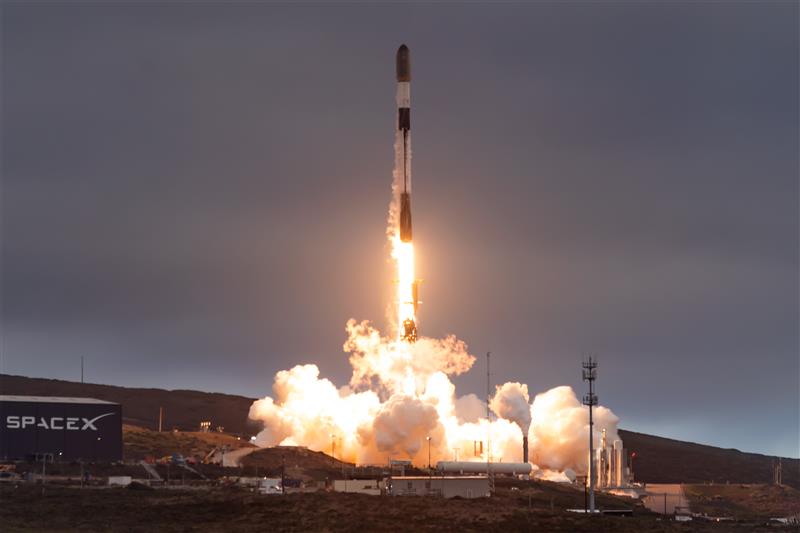
Falcon 9 Block 5 | USSF-432
Go T− 2 d 22 h 08 min(Sat, Nov 7, 2026, 00:46 UTC)Falcon 9 Block 5 · SpaceX · Space Launch Complex 4E, Vandenberg SFB, CA, USA · Where to watch from California Central CoastWebcast: launch page lists the official stream when announced.
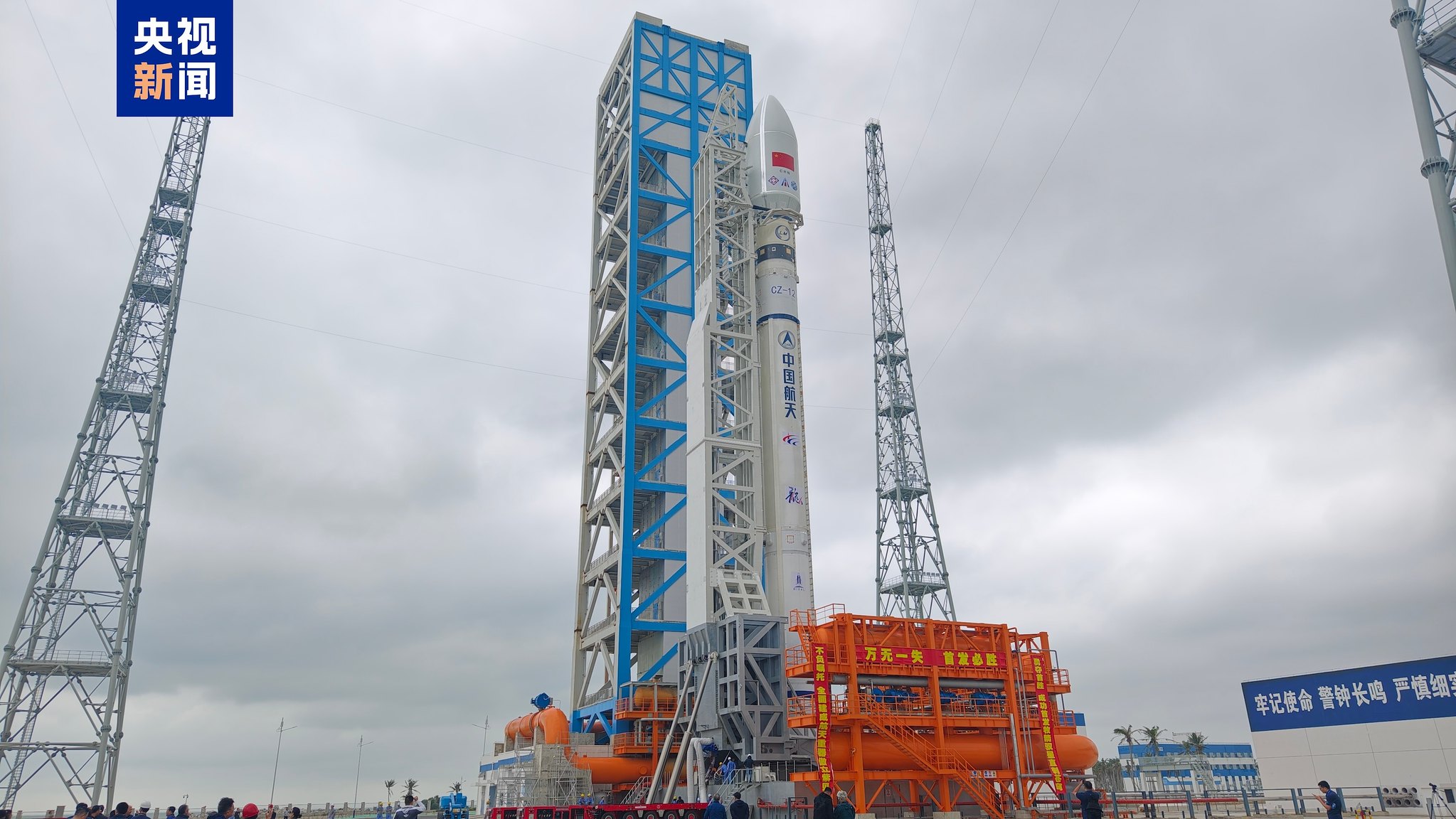
Long March 12 | SatNet LEO Group TBD?
Go T− 4 d 17 h 47 min(Sun, Nov 8, 2026, 20:25 UTC)Long March 12 · China Aerospace Science and Technology Corporation · Commercial LC-2, Wenchang Space Launch Site, People's Republic of China · Where to watch from Wenchang, HainanWebcast: launch page lists the official stream when announced.
Falcon 9 Block 5 | USSF-627
Go T− 6 d 0 h 25 min(Tue, Nov 10, 2026, 03:03 UTC)Falcon 9 Block 5 · SpaceX · Space Launch Complex 4E, Vandenberg SFB, CA, USA · Where to watch from California Central CoastWebcast: launch page lists the official stream when announced.
FAQ
How do I add rocket launches to Google Calendar?
On a computer open Google Calendar, click + next to Other calendars, choose From URL, paste https://t-0.space/calendar.ics and click Add calendar. It then syncs to the Google Calendar app on your phone.
How do I add rocket launches to my iPhone or Apple Calendar?
On iPhone go to Settings > Apps > Calendar > Calendar Accounts > Add Account > Other > Add Subscribed Calendar and enter https://t-0.space/calendar.ics. On a Mac, use File > New Calendar Subscription in Calendar.
How do I add rocket launches to Outlook?
In Outlook on the web or new Outlook, open Calendar, choose Add calendar > Subscribe from web, paste https://t-0.space/calendar.ics, name it and click Import.
Is the launch calendar free?
Yes. It is a free, unofficial feed from T-ZERO with no account needed.
How often does the calendar update?
The feed is rebuilt about hourly from Launch Library 2. Google Calendar refreshes subscribed calendars every few hours to a day; Apple and Outlook let you choose or refresh sooner. Always check the launch page on launch day.
Which launches are in the calendar?
Launches with a confirmed day or time. Launches with only a month or quarter target stay in the lists on the site until they get a date. Right now 15 upcoming launches have a date.
Can I get just one company's launches?
Yes. Every provider page has its own .ics feed, for example SpaceX or Rocket Lab; subscribe to it the same way.
Can I get an alert before a launch?
Set a default alert (for example 1 hour before) on the subscribed calendar in your app, or use the email alert on any launch page.
How do I remove or unsubscribe from the launch calendar?
Delete the subscribed calendar in your app: in Google Calendar on the web, open the calendar's settings and choose Unsubscribe; on iPhone or Mac, delete the subscribed calendar in Calendar; in Outlook, right-click the calendar and remove it. Your own events are not affected.
Why is the Google Calendar app on Android slow to update?
Google Calendar refreshes subscribed (URL) calendars on Google's schedule, not instantly, and a change can take up to about a day to show in the Android app. The feed itself updates with every refresh; check the launch page for the latest time.
More schedules: rocket launches today · Florida · Vandenberg / California · Starship · crewed and ISS cargo · watch live · ISS live camera · 2026 launch stats · add launches to your calendar · home tracker.